Electronics & gadgets
AI product photography for electronics and gadgets
To make electronics product photos with AI, upload 1 to 8 photos of the device to Flash Shoot in Induce AI, covering the front, back and the sides with ports and buttons. Choose whether someone holds or uses it, set the background and light, and generate stills and short videos. Check ports, buttons, logos and any screen content against the real device before you publish.
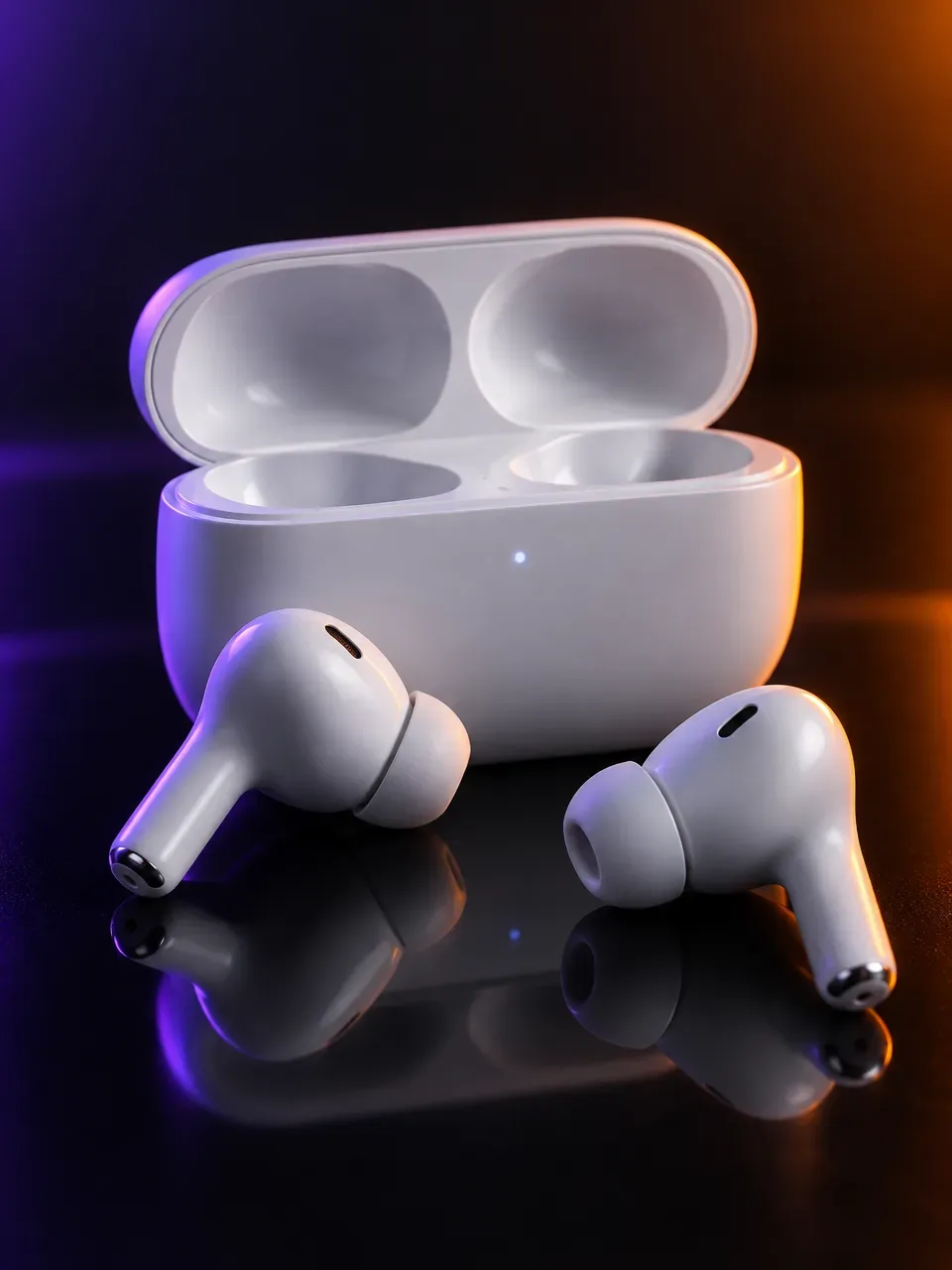
- Input
- 1 to 8 product photos (PNG, JPG, WebP or HEIC)
- Outputs
- Still images and short videos
- Formats
- Stills 3:4 by default; video 9:16, 1:1 or 16:9
- Model
- None, stock, your own photo, or described
Screens, reflections and fingerprints
Electronics are glossy, dark and full of small details. Glass screens and polished plastics reflect the room and show every fingerprint and speck of dust. Matte black devices swallow light and lose their edges against dark backgrounds. Product photographers use large soft lights, gradient reflections and a lot of retouching to get a clean result.
Screens are a particular problem. A blank screen looks dead, a bright screen blows out, and whatever is on the screen must be real if it shows your software. Ports, buttons, grilles and LEDs are small but buyers check them to see what plugs in where. Accessories, cables and packaging often need their own shots.
The shot list for a gadget listing
Tech buyers compare specifications, so the images should show every side and how the device is used. Keep the device clean and the screen state the same across the set.
- Front packshot on a plain background.
- Back view and side views showing ports and buttons.
- Three-quarter hero angle with a clean reflection.
- In-hand or on-person shot for size, for example headphones worn.
- In-use lifestyle scene: a desk, a commute, a workout.
- What is in the box, laid out flat.
- Detail of materials, grilles or controls.
Formats and placements
Many marketplaces ask for the main image on a plain white background showing only the product. Check the current rules, especially for what can appear on the screen in the main image.
Tech ads lean on motion: a slow orbit around a device, headphones being put on, a gadget switching on. A 9:16 video suits Reels and Shorts, 3:4 stills suit the feed and 16:9 suits banners and launch pages. Flash Shoot makes 3:4 stills by default and videos in 9:16, 1:1 or 16:9. If the product has a companion app, Flash Films can make a Product film or an App film, with voice-over, captions and an end card, exported as one link per aspect ratio.
What to check
Count the ports and buttons and check their position on every output, as AI often moves, merges or adds them. Check speaker grilles, camera lenses, LEDs and logos. Compare the finish and colour in neutral light.
Treat anything on a screen with care. Generated screen content is invented, so do not let it suggest features the device does not have. If you need your real interface on the screen, start from a reference photo that shows it, or add the screen in a design tool afterwards, and check that the result matches the real product.
Electronics photo problems and fixes
| Problem | Why it happens | How to avoid it |
|---|---|---|
| Ports or buttons moved | Small repeated details are hard to keep exact | Upload clear side photos and count ports on every output |
| Screen shows invented content | The model fills an empty screen | Use a reference with your real screen, or add it in a design tool |
| Black device loses its edges | Dark surfaces absorb light | Choose a lighter background or a rim of light behind the device |
| Harsh reflections on glass | Glossy surfaces mirror the light source | Pick soft light from the side |
| Device looks the wrong size | Scale is inferred in hand and lifestyle shots | Check against a hand and list real dimensions |
How to do it in Induce AI
Upload the device
Add 1 to 8 photos: front, back, each side with ports and buttons, and the screen showing your real interface if needed.
Choose the model option
Pick no model for packshots, or a stock, uploaded or described model for in-hand and worn shots.
Set background and light
Choose a plain background for listings or a desk, street or gym setting for ads, and soft side light.
Generate stills and videos
Generate 3:4 stills and a 9:16 or 16:9 video. Use Flash Films for a Product film or an App film.
Review and download
Check ports, buttons, logos, finish and screen content against the real device, then download.