Skincare & beauty
AI skincare photography for serums, creams and cosmetics
To make skincare product photos with AI, upload 1 to 8 photos of the bottle, jar or tube to Flash Shoot in Induce AI, including a clear shot of the front label. Choose a model option, set the background and light, and generate stills and short videos. Check the label text and packaging colour against the real product before you publish.
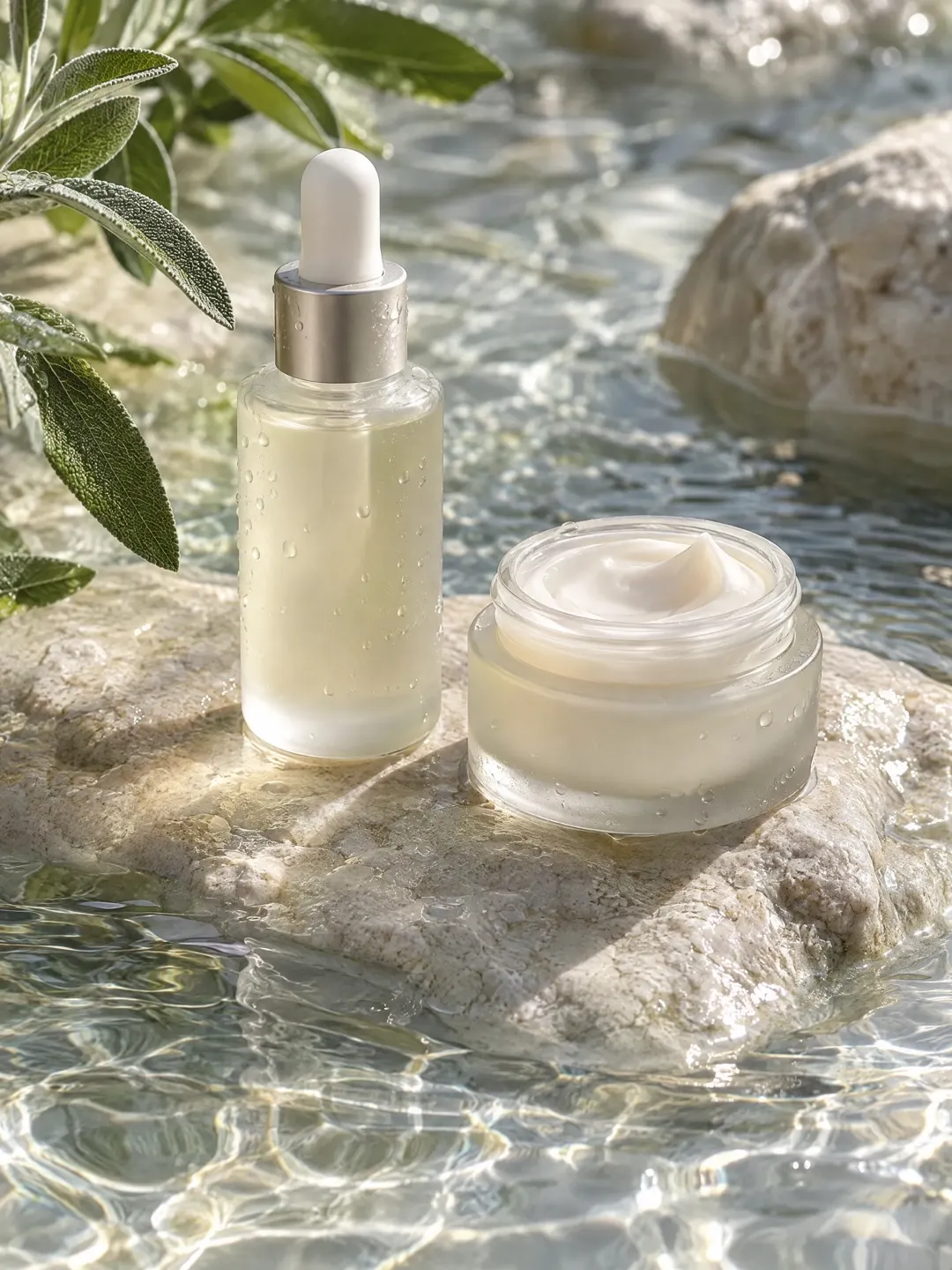
- Input
- 1 to 8 product photos (PNG, JPG, WebP or HEIC)
- Outputs
- Still images and short videos
- Formats
- Stills 3:4 by default; video 9:16, 1:1 or 16:9
- Model
- None, stock, your own photo, or described
Why beauty packaging is tricky
Skincare packaging is designed to catch light. Glossy bottles show every reflection, frosted glass goes flat and grey if lit badly, and metallic caps and pumps pick up the room. Clear and amber glass need light behind them to show the product inside.
Labels are the second challenge. Product names are often set in fine type, and the back carries an ingredient list in very small print. Buyers zoom in to read both. Brand colour matters as well: a soft pink or sage green that shifts by a shade looks like a different product. Finally, the formula itself is part of the sale. A serum drop, a cream swirl or a lipstick bullet shows texture in a way the closed bottle cannot.
The shot list for a beauty product page
A beauty product page usually needs the pack, the product itself, and the product in use.
- Front packshot on a plain background, cap on, label square to the camera.
- The pack with its outer box, if you sell it boxed.
- Back label with ingredients, photographed for real so the text is exact.
- Texture shot: a swatch, drop or swirl of the formula.
- In-hand or on-model shot to show size and use.
- Routine or shelf flat lay with props such as stone, towels or botanicals.
- A short video of a pump, dropper or swatch for social.
Formats and placements
Many marketplaces ask for the main image on a plain white background showing only the product. Check your marketplace’s current rules, as beauty categories often carry extra requirements. Secondary images can show texture, scale and use.
Beauty sells heavily on social. A 3:4 still suits a portrait feed post, and a 9:16 video of the product being applied or dispensed suits Reels and Shorts. Use 16:9 for site banners and 1:1 where a square slot is required. Flash Shoot makes 3:4 stills by default and videos in 9:16, 1:1 or 16:9. For a launch ad with voice-over and captions, Flash Films builds a short film from a storyboard you approve first.
What AI should not do for skincare
Do not use AI images to show results. Before-and-after images, clearer skin or reduced wrinkles must come from real use, and advertising rules in many countries restrict misleading beauty claims. Keep AI to showing the product, its texture as an illustration, and the setting.
Treat AI texture shots with care too. A generated cream swirl shows a cream, not your cream. Check its colour and thickness against the real formula, or shoot the texture yourself. Read every word of the front label on each output, and use a real photo for the back label and ingredient list, where a single wrong letter matters.
Skincare photo problems and fixes
| Problem | Why it happens | How to avoid it |
|---|---|---|
| Label text is wrong or blurred | Small type is hard to redraw exactly | Upload a sharp front-label photo and read every word of each output |
| Frosted glass looks grey | Flat light removes the soft glow of frosted glass | Choose softer light from the side or behind |
| Brand colour is off | Light temperature shifts pale colours | Use neutral reference photos and compare with the real pack |
| Texture does not match the formula | The model invents a generic texture | Check against the real product or shoot the swatch yourself |
| Image implies a result | On-model shots can suggest skin changes | Do not show before-and-after or results with AI |
How to do it in Induce AI
Upload the product
Add 1 to 8 photos of the pack: front label square on, sides, cap off, and the outer box if you sell it boxed.
Choose the model option
Pick no model for packshots and flat lays, or a stock, uploaded or described model for in-hand and application shots.
Set background and light
Choose a plain background for listings or a bathroom shelf, stone or botanical setting for ads, and a light direction that suits the glass.
Generate stills and videos
Generate 3:4 stills and a 9:16 video for Reels and Shorts. Use Flash Films for a short launch ad with voice-over and captions.
Review and download
Read the label on every output and check pack colour and texture against the real product before downloading.