AI Movie Script Generator: Tools & How-To
AI script generators can draft scenes and structure beats. Here is what they do well, where they fall short, and how to use them for production.
AI Movie Script Generator: Tools & How-To
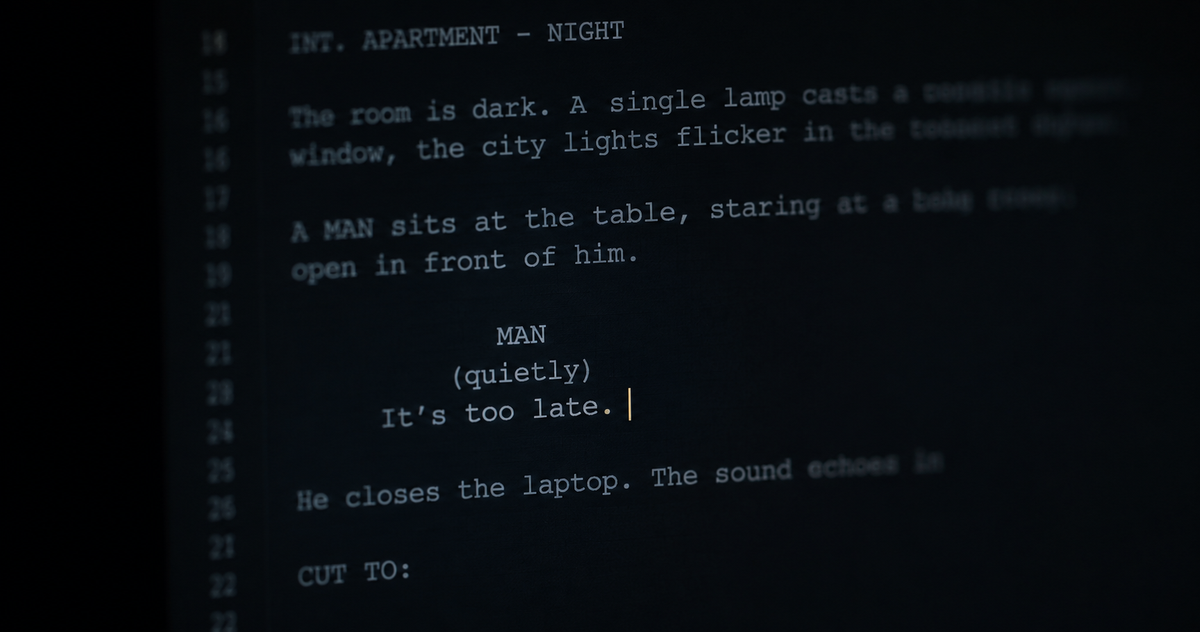
An AI movie script generator is a tool that uses large language models to help write screenplays — drafting scenes, generating dialogue, structuring acts, and formatting the output in industry-standard form. The best tools in 2026 are genuinely useful. None of them can write a production-ready screenplay without a writer carrying the spine of the story. That distinction matters, and most tool reviews avoid making it.
What an AI script generator actually does
At the generation layer, these tools work by taking a prompt — a logline, a scene description, a character brief, a beat outline — and returning screenplay-formatted text. The better ones understand screenplay structure: they know what a scene heading looks like, when to cut from action to dialogue, how to pace a scene across a page. They can produce a first draft of a scene faster than most writers can type it.
What they cannot do is hold the logic of a story across a full script. A language model generating scene 47 does not remember what was established in scene 12 unless you tell it. It does not track whether a character's motivation is consistent across the first and third acts. It does not know that the prop introduced in scene 8 has to appear again in scene 43 to pay off. It generates text. The writer holds the story.
That is not a criticism. It is a description of how the tools work and how to use them correctly.
The tools worth knowing in 2026
The AI screenwriting market in 2026 has separated into three distinct categories. Knowing which type fits your workflow saves significant time.
General AI assistants used for scripting
Claude, ChatGPT, and Gemini are not purpose-built screenplay tools, but they are the most capable at raw scene generation, dialogue drafting, and structural stress-testing. A writer who gives Claude a detailed brief — character names, scene objective, emotional subtext, what needs to be established — can get a usable first draft of a scene in seconds. The output requires editing. It is almost always a better starting point than a blank page.
The limitation is context. These tools have no persistent memory of your script between sessions. Every conversation starts fresh. For a feature-length screenplay, you need to re-supply context constantly, which is manageable but laborious.
Purpose-built screenwriting AI platforms
Arc Studio Pro integrates an AI Story Engine that analyses screenplay structure in real-time and offers contextual suggestions — dialogue options, plot alternatives, story inconsistencies — based on character profiles and narrative threads already in the script. Its collaborative features make it the strongest choice for writing teams.
Sudowrite was built for fiction writers but has become widely used for screenplay scene generation, particularly for action lines and description. It is strong at generating prose-level draft material and weak at screenplay-specific structure.
Storyflow is purpose-built for writers who need to hold an entire story world — series bible, character arcs, pilot structure — in one canvas while generating inside it. For TV pilot writers and anyone working across multiple episodes, it is the most coherent workflow tool available.
Final Draft and WriterDuet remain the industry-standard formatting tools. Both have added AI assistance features — dialogue suggestions, scene notes, format corrections — but neither is a generation tool. They are writing environments with AI features layered on, not AI generators with screenwriting output.
Squibler and Saga sit at the more generative end: you provide a concept and the tool produces structured draft material. Useful for getting something on the page quickly. The output almost always requires substantial rewriting before it reads like a real script.
AI tools built for the script-to-production pipeline
This is where the category gets genuinely interesting for filmmakers rather than just writers. A script is not the end product — it is the document that a production operates from. Every character description, every location, every piece of action on the page has to translate into generation decisions.
The Induce script editor is built with that downstream use in mind. The screenplay is not just a text document — it becomes a structured brief for the generation pipeline. Characters defined in the script become reference parameters. Scene descriptions become shot briefs. The emotional logic of a scene shapes which shots are planned and in what order. The gap between a precisely written script and a vague one is not just a creative difference in the final film. It is a production difference that shows up in every generated clip.
What AI does well in script development
Used correctly, AI script tools accelerate three specific stages of screenplay development.
Premise stress-testing. Before committing to a story, a writer can use a general AI assistant to pressure-test the premise. What is unclear? What feels familiar? What does the protagonist want at each stage? What is the irony? Does the ending pay off the premise? A blunt, honest AI evaluation of a pitch is more useful than a polished paragraph that hides the structural problems.
First draft scene generation. The blank page problem is real. AI can provide a starting draft of any scene — however rough — that a writer can then shape, cut, rewrite, or discard. The writer carries the creative judgment. The AI provides momentum.
Dialogue variants. When a scene is working structurally but the dialogue is not landing, AI can generate alternative versions of a specific exchange quickly. A writer who reads ten versions of the same three lines finds the right one faster than a writer staring at one version.
What AI does not do
AI cannot write a screenplay that holds together across a full feature without a writer managing the story logic. The tools generate text — good text, often useful text — but they do not carry the story. They do not know why a scene matters. They do not track what the audience has already been told. They do not feel when a character's voice is off.
The writers and directors who use these tools most effectively treat them as research and drafting assistants, not as replacement writers. The AI drafts the scene. The writer decides whether the scene should exist, what it needs to accomplish, and whether the draft accomplishes it.
For a deeper grounding in what a great screenplay actually looks like on the page, and why that matters for production, the screenplay examples post covers the scripts every filmmaker should read and what each one teaches.
How to use an AI script generator effectively
The quality of AI screenplay output is almost entirely determined by the quality of the brief. Vague prompts produce vague scenes. Specific prompts produce usable material.
Before generating any scene, establish: who is in the scene, what each character wants, what is at stake, what the scene needs to accomplish for the story, what has just happened before this scene, what needs to be true at the end of it, and what the tone and pacing should be. Supply the character names exactly as they appear in your script. Name the location precisely. Describe any props or details that matter.
With that brief, an AI generator produces draft material that requires editing rather than complete rewriting. Without it, you get generic scenes that sound like a script and do not serve your story.
The same principle applies when using AI to turn a script into video with Induce. The more precisely the script describes what matters in each scene, the more directly that intent translates into a shot list and the more consistent the generated footage becomes. Screenplay precision is not a literary nicety. It is a production requirement.
What is an AI movie script generator?
+A tool that uses large language models to assist in writing screenplays — drafting scenes, generating dialogue, structuring acts, and formatting output in industry-standard form. The best tools in 2026 produce usable first-draft material for individual scenes. None of them can write a complete, production-ready feature screenplay without a writer holding the story logic across the full document.
What is the best AI screenplay generator in 2026?
+For raw scene generation: Claude and ChatGPT remain the strongest all-purpose tools when given a detailed brief. For purpose-built screenwriting workflow: Arc Studio Pro is the most feature-complete platform, with Storyflow the best option for series writers. For script-to-production pipelines where the screenplay feeds directly into generation: the Induce script editor connects the writing stage to the shot planning and generation pipeline.
Can AI write a full movie script?
+It can generate a full script in terms of page count and format. Whether that script holds together as a story with consistent character motivation, payoff of established elements, tonal coherence, and a working dramatic arc — is a different question. In 2026, AI can draft scenes and structure acts effectively. The writer carries the story logic across the full document.
Is there a free AI movie script generator?
+Several tools offer free tiers. Squibler has a free entry-level version for script generation. General AI assistants including Claude and ChatGPT have free tiers that work for screenplay drafting with a detailed prompt. Arc Studio Pro and Storyflow have free trials. The free tiers are usually sufficient for testing the tool's output quality before committing to a paid plan.
How do I use AI to write a screenplay?
+Start with a detailed story brief, premise, protagonist want and need, key characters, the dramatic question, the ending. Use AI to stress-test the premise before drafting. Then work scene by scene: give the AI a specific brief for each scene (who is present, what each character wants, what the scene must accomplish) and use the output as a starting draft. Edit heavily. The AI provides momentum and raw material. The writer provides story logic and creative judgment.
Related posts

What Is a Synopsis? How to Write One That Works
A synopsis is not a summary — it is a sales document that proves your story works. Here is what it must include and how to write one that gets read.
By Ranga Nikhilesh

What Is a Smash Cut? Definition & Examples
A smash cut is an abrupt edit that cuts mid-action to a completely different scene for deliberate effect. Here is how it works and the best examples.
By Ranga Nikhilesh
What Is a Foil in Literature? Definition & Examples
A foil is a character who contrasts with another to reveal qualities neither could show alone. Here is the definition, how it works, and the best examples.
By Ranga Nikhilesh